✨ Self-hosted · Windows · Chrome/Edge · REST API
See where
the time went
Evalmatic records assessment sessions on Windows machines, uploads them to a server you control, and turns them into per-session reports: apps, documents, typing, idle gaps, screenshots.
Powerful features
Everything you need to understand assessment sessions in detail, built for privacy and transparency.
Live fleet view
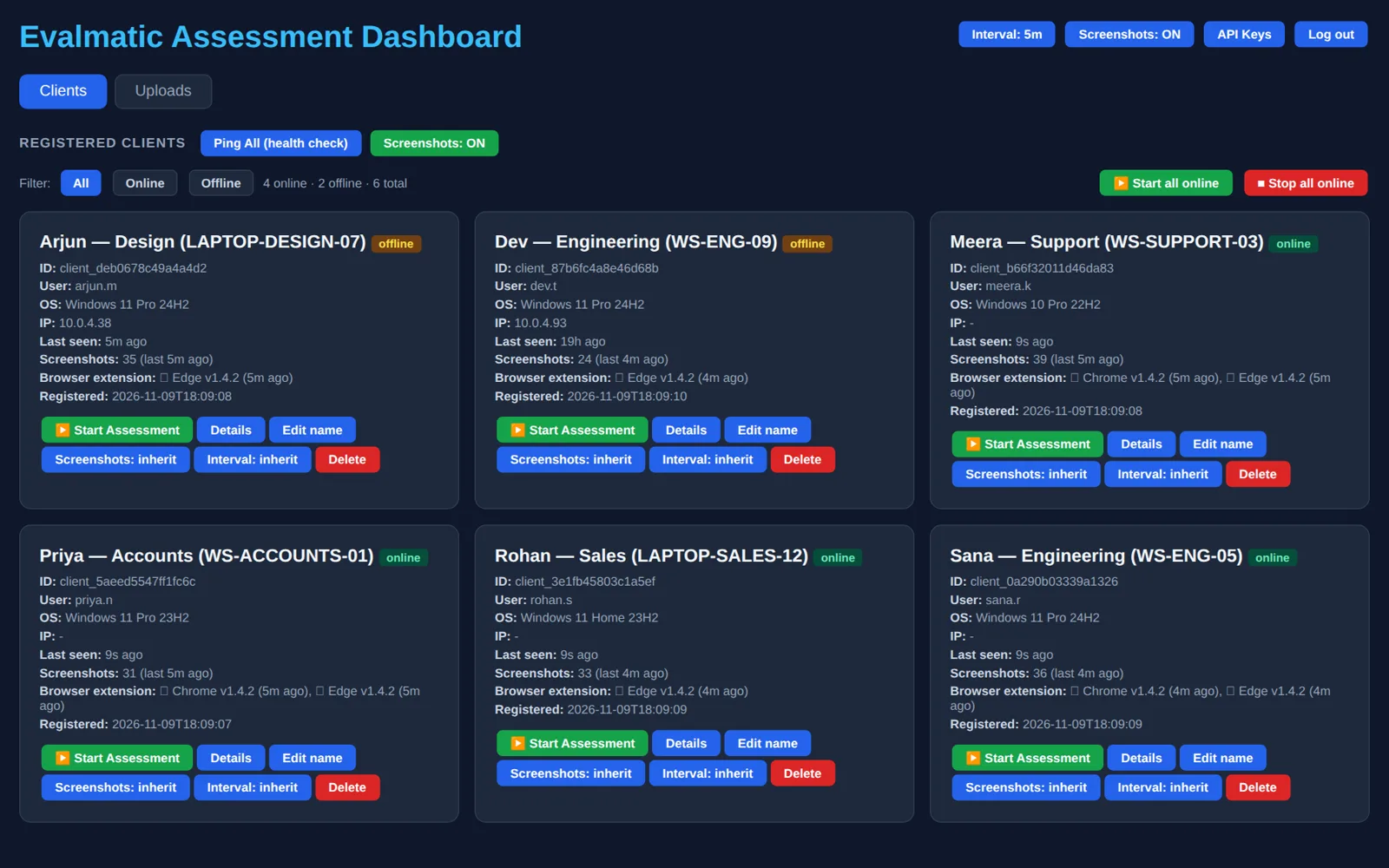
Every enrolled Windows machine, who is logged in, last seen, screenshot count and browser-extension status. Start or stop an assessment on one device or all online devices at once.
Sessions, not surveillance
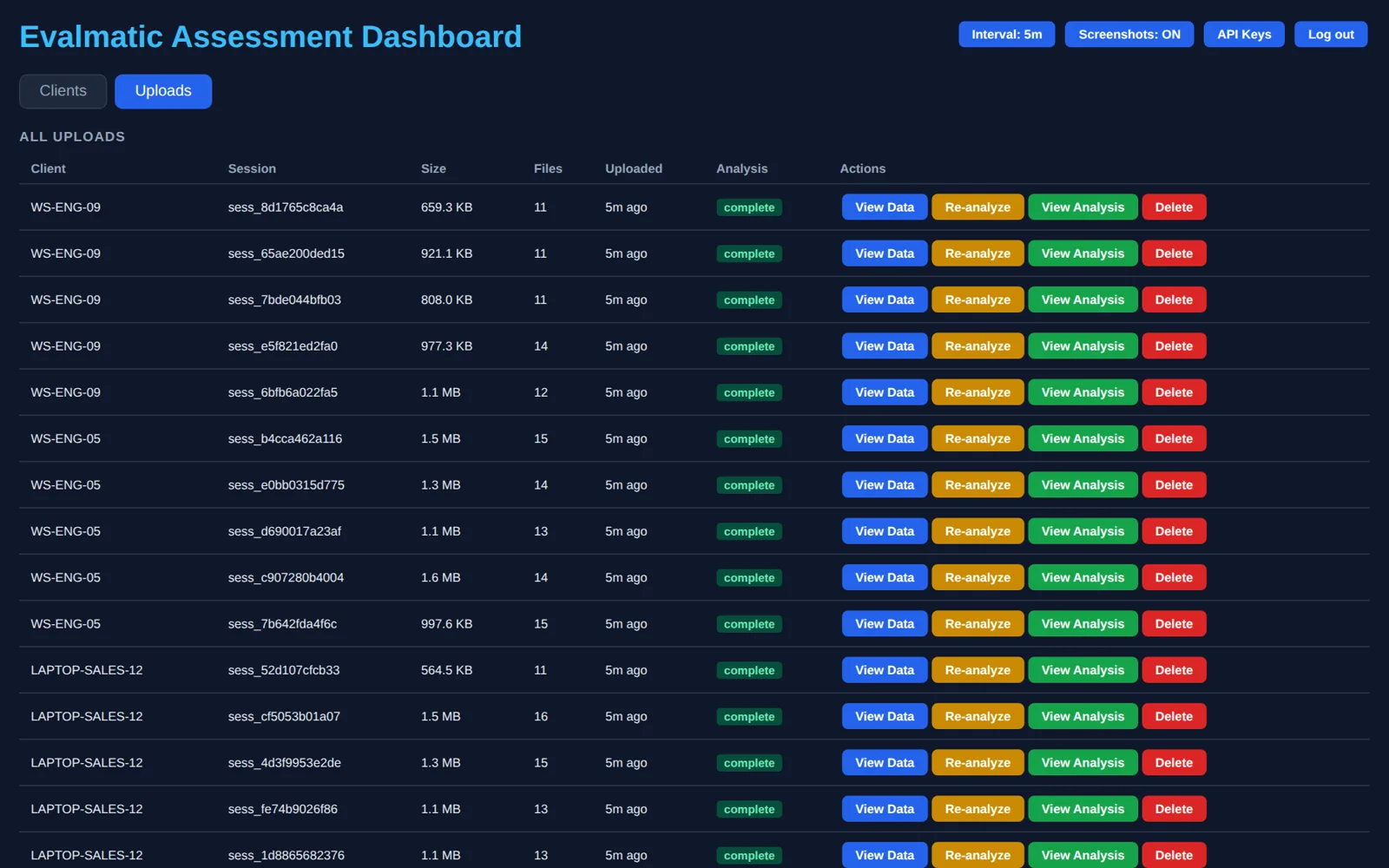
Nothing is captured until an assessment session is started. Each session is bundled, signed and uploaded when it ends; the server queues it for analysis.
Where the time went
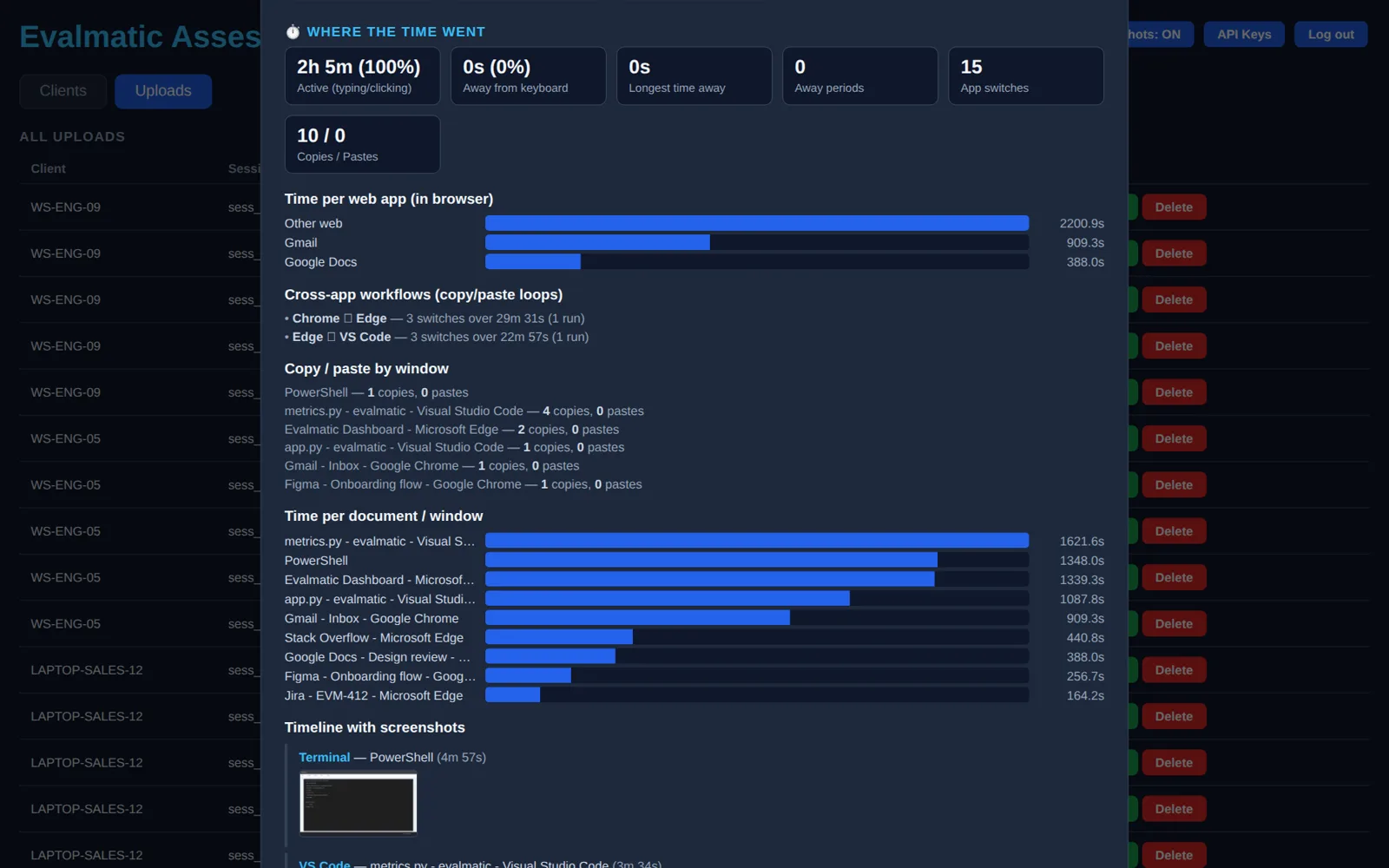
Active vs. away time, app switches, copy/paste loops across apps, time per web app and per document. One report per session, generated on the server.
Timeline with screenshots
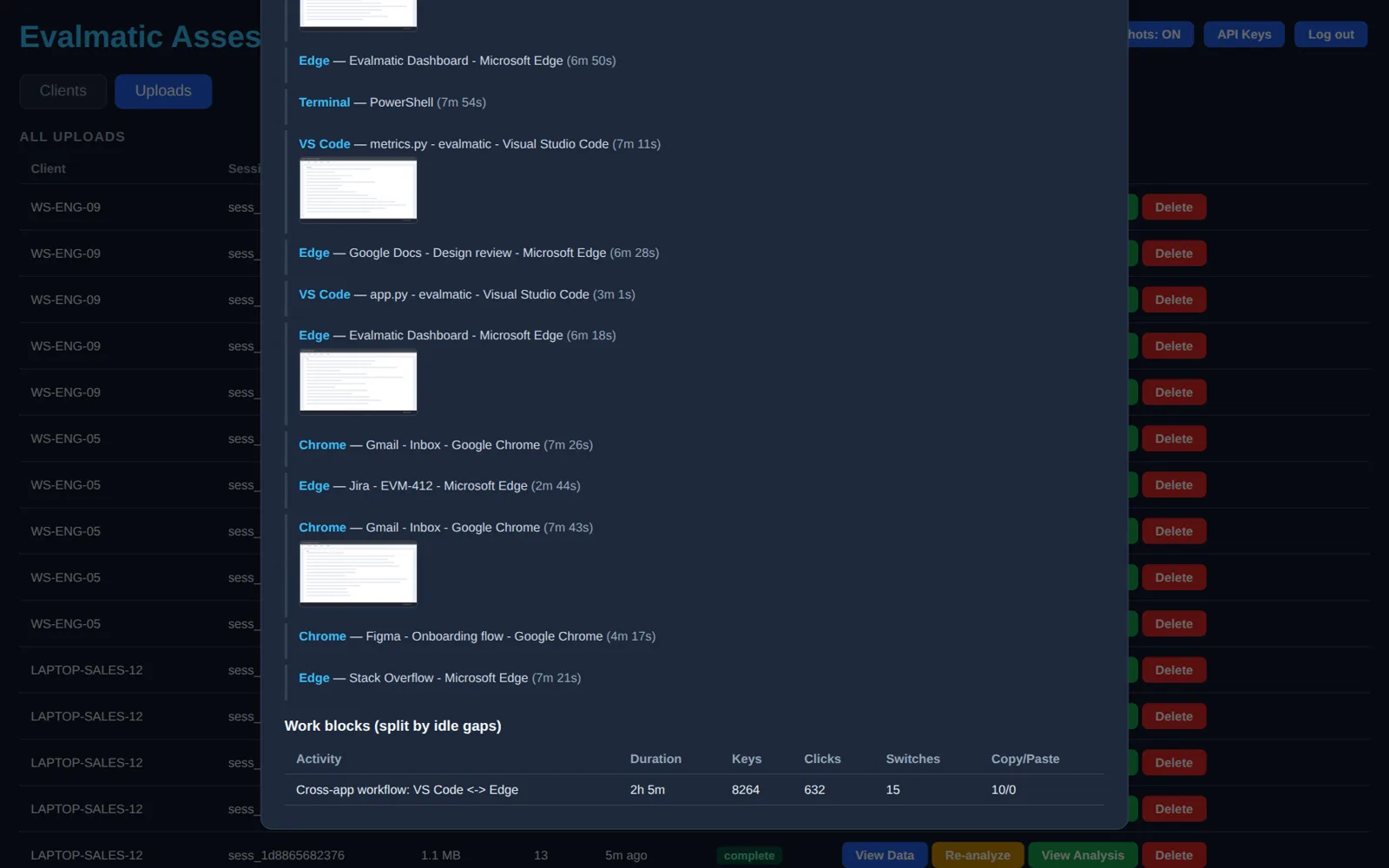
Window-by-window timeline with the matching screenshot thumbnails, then work blocks split by idle gaps with keys, clicks and switches per block.
How it works
Four simple steps to get started
Install the server
One Ubuntu box. systemd unit, hardened sandbox, SQLite on disk, Caddy or nginx in front. No external database.
Enroll clients
Run EvalmaticSetup.exe. The client registers with a shared enrollment token and starts at logon under a watchdog.
Run an assessment
Start a session from the dashboard or the tray. Keys, windows, mouse, clipboard, browser tabs and periodic screenshots are recorded locally.
Read the report
The bundle uploads when the session ends. The server analyses it and the dashboard renders the report.
Built for the people being assessed
Privacy and transparency first
Your server, your data
Runs on your own Ubuntu host. SQLite and session files stay on disk under /opt/evalmatic. No third-party telemetry.
Explicit sessions
Capture only happens inside a started assessment. The tray icon shows state; the browser extension stores data only while a session is running.
Token-gated enrollment
Clients register with a shared enrollment token. Uploads are HMAC-signed. The dashboard and data API use separate admin and API credentials.
Install now
Windows 10/11 client as a one-file installer. Browser extension for Chrome and Edge. Server for Ubuntu 22.04+.
- →EvalmaticSetup.exe — latest release
installs to Program Files, auto-starts at logon
- →evalmatic-extension.zip
load unpacked in chrome://extensions
- →Step-by-step guide for end users
detailed install instructions
- →Server installer (systemd + Caddy/nginx)
self-hosted Ubuntu setup
# Ubuntu server
sudo server/deploy/install-ubuntu.sh
sudo nano /etc/evalmatic/server.env
sudo systemctl restart evalmatic-server

# Windows client (elevated)
EvalmaticSetup.exe
evalmatic.exe --tray

# Data API (bearer key from dashboard)
curl -H "Authorization: Bearer $KEY"   https://server.example.com/api/data/uploads